


What Makes USB Connector Accessories Essential for Efficient Digital Systems?
Introduction
USB technology links computers, sensors, cameras, storage devices, chargers, and control units. The connection may look simple, but reliable performance often depends on the supporting components around the plug and socket. USB Connector Accessories help users build connections that are easier to install, protect, identify, and maintain.
These accessories solve problems such as limited port access, incompatible connector formats, cable movement, accidental disconnection, and environmental exposure. Products improve system efficiency while reducing damage and service interruptions.
Understanding the Role of USB Connector Accessories
USB Connector Accessories support the operation of USB cables and ports without replacing the device. They may improve protection, connector alignment, installation flexibility, or compatibility.
Their purpose can include:
- Extending a connection to a more accessible position
- Converting one USB format into another
- Supporting a cable near the connector
- Protecting an unused socket
- Securing a plug against vibration
- Mounting a USB interface on a panel
- Identifying cables in complex equipment
- Reducing strain during frequent use
Each accessory should be chosen according to the application.
Designing More Efficient USB Workspaces
Creating Accessible Connection Points
Ports placed behind desks or displays can be difficult to reach. Repeatedly moving equipment to access them may damage cables or surrounding components.
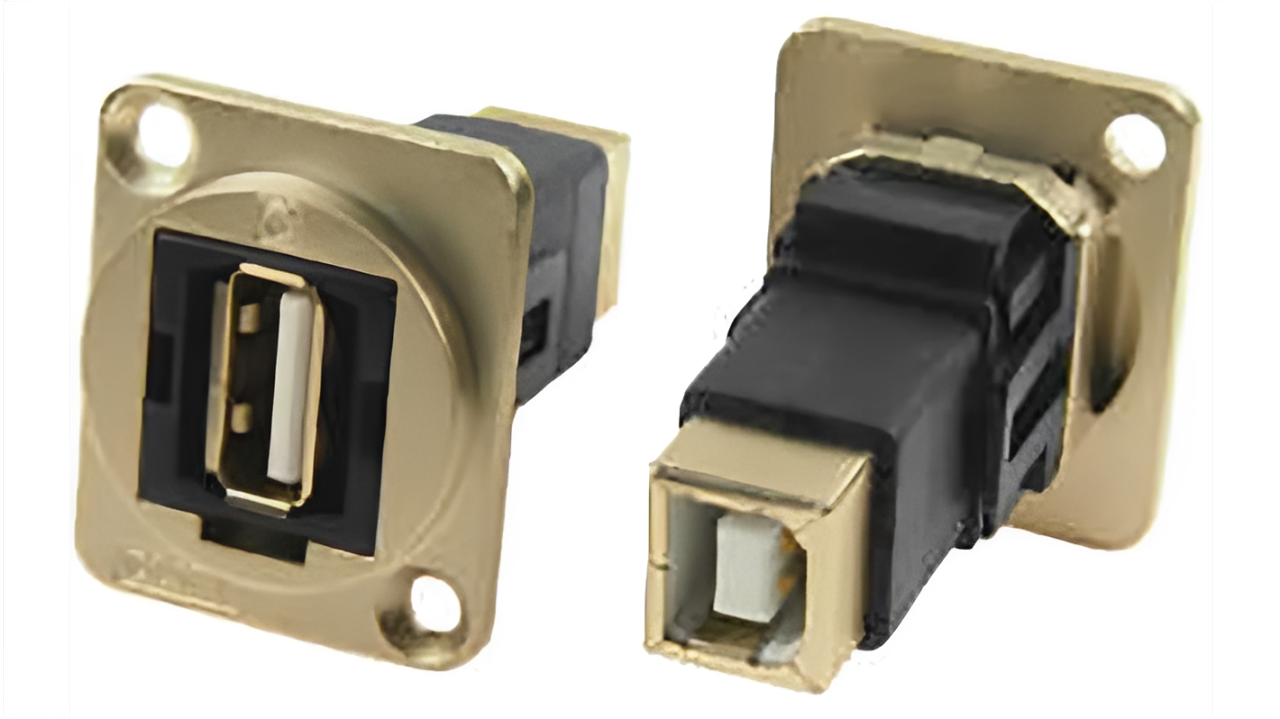
USB extension panels, desktop sockets, and feed-through connectors bring the connection closer to the user. This makes charging, data transfer, and equipment servicing easier.
Preventing Cable Congestion
A workspace with several USB devices can quickly become disorganised. Loose leads may tangle, block ventilation, or place pressure on neighbouring connectors.
Cable organisers, routing clips, labels, and holders create a structured cable path. They also make it easier to identify which cable belongs to each device, reducing mistakes during maintenance or replacement.
Choosing Accessories for Different USB Functions
USB connections may carry power, data, audio, video, or a combination of functions. Therefore, an accessory must support the intended task.
Before selection, confirm:
- Connector type and orientation
- USB generation
- Maximum data rate
- Charging current
- Power Delivery requirements
- Video transmission support
- Cable length limitations
- Host device compatibility
For example, an adapter intended for basic charging may not support high-speed file transfer. Similarly, a USB Type-C connector does not automatically guarantee video output or laptop charging.
Supporting Reliable Connections in Shared Environments
Shared equipment experiences more frequent handling than personal devices. Charging points, classroom systems, retail terminals, meeting rooms, and libraries may face repeated plugging and accidental pulling.
Suitable USB Connector Accessories can improve durability through:
- Reinforced panel sockets
- Tethered port covers
- Cable retention brackets
- Replaceable extension leads
- Strain relief fittings
- Secure desk-mounted holders
Using replaceable accessories can also protect the main device. If a frequently used extension becomes worn, it can be replaced without repairing the internal USB port.
Improving Equipment Maintenance
Simplifying Fault Identification
When a USB device stops responding, the fault may come from the cable, adapter, power source, or port. Clearly labelled accessories make troubleshooting easier.
Technicians can trace connections quickly, isolate faulty components, and replace only the affected part. This approach reduces service time and prevents unnecessary equipment replacement.
Supporting Preventive Inspection
USB accessories should be included in routine inspections. Loose housings, bent contacts, damaged covers, and cracked cable supports can indicate developing problems.
A useful inspection should check:
- Connector fit
- Cable movement
- Surface damage
- Signs of overheating
- Dust or moisture
- Mounting security
- Charging stability
- Data communication
Early attention helps prevent sudden connection failure.
Selecting USB Connector Accessories for Mobile Equipment
Portable devices face different risks from fixed installations. Cables and adapters may be stored in bags, carried between locations, or connected in confined spaces.
Compact protective cases, plug caps, short adapters, and flexible cable supports are useful for mobile equipment. They reduce damage during transportation and keep small components organised.
For field tools, diagnostic devices, and portable instruments, users should consider impact resistance, temperature changes, and moisture exposure.
Reducing Replacement Costs Through Better Protection
A damaged accessory is usually easier and less expensive to replace than a built-in USB port. Protective products can therefore reduce maintenance costs over the life of a device.
Useful measures include:
- Supporting heavy cables
- Avoiding sharp bends
- Covering unused ports
- Using adapters only when required
- Selecting correct power ratings
- Replacing loose connectors promptly
- Keeping contacts clean
- Preventing cables from becoming trip hazards
These measures help preserve both the accessory and the connected equipment.
Environmental and Material Considerations
Material choice affects performance. Flexible silicone is common for dust covers, while moulded plastic suits lightweight housings and clips. Metal accessories may provide additional strength and shielding.
The surrounding environment may require resistance to:
- Water
- Dust
- Chemicals
- Heat
- Cold
- Sunlight
- Vibration
- Repeated impact
An office installation and an industrial control cabinet need different levels of protection. Matching the material to operating conditions improves reliability.
Conclusion
USB Connector Accessories support efficient digital systems by improving access, compatibility, organisation, protection, and maintenance. They help prevent connector wear, reduce troubleshooting time, and create safer cable arrangements.
The best selection starts with understanding the connector format, electrical requirements, data performance, installation space, and environment. When these factors are considered together, USB connections become easier to manage and more dependable in use.

 English
 Arabic
 French
 Spanish
 Portuguese
 Deutsch
 Dutch
Dutch
 Italiano
 Russian
 Romaian
 Portuguese (Brazil)
 Greek
Greek