


How Can Solder D-sub Connectors Prevent Signal Failures in Electronic Systems?
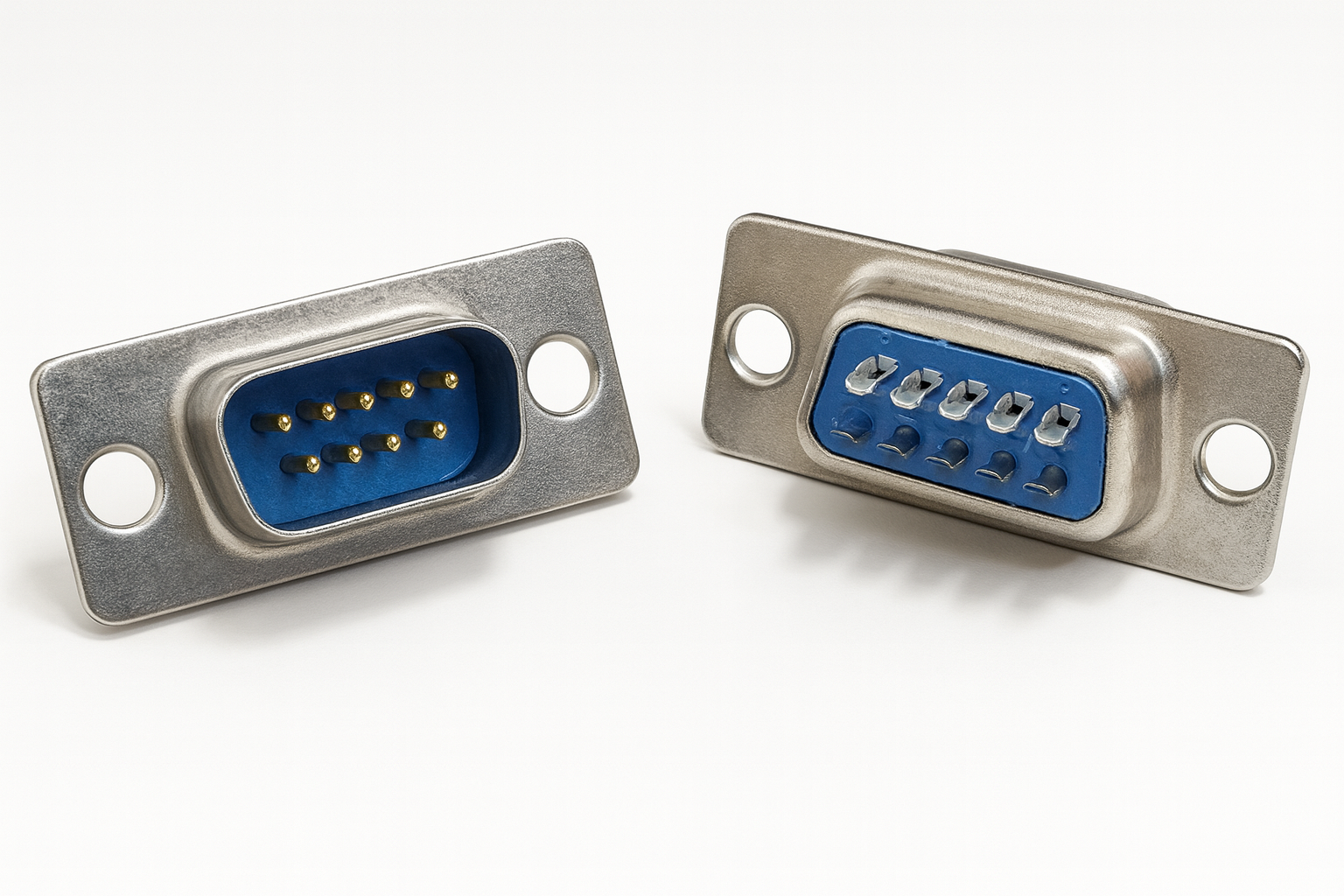
Solder D-sub Connectors are widely used in systems that require organised wiring, secure mating, and stable signal transmission. Their compact structure allows multiple electrical circuits to pass through one connection point, while solder termination provides direct control over how every conductor is attached.
These connectors are frequently found in industrial controllers, laboratory instruments, communication devices, test benches, automation equipment, and customised electronic assemblies. Their continued use is not based only on familiarity. Solder D-sub Connectors remain effective because they can be configured, inspected, repaired, and tested according to the exact requirements of an application.
However, dependable performance is only possible when the connector, cable, pin arrangement, solder joints, and mechanical support are planned correctly.
What Causes Signal Problems in Connector Assemblies?
Signal faults are not always caused by a defective connector. Many failures begin with poor cable preparation, incorrect termination, loose mounting hardware, or unsuitable routing.
Common causes of unreliable performance include:
- Incorrect contact assignments
- Weak or incomplete solder joints
- Loose conductor strands
- Excessive solder between adjacent contacts
- Damaged wire insulation
- Poor cable strain relief
- Inadequate shielding
- Bent or contaminated contacts
- Loose jackscrews
- Repeated movement near the termination area
Some faults appear immediately during testing, while others develop gradually through vibration, heat, cable movement, or repeated mating.
Why Is Pinout Planning Important?
A pinout determines how circuits are arranged inside Solder D-sub Connectors. Poor pinout planning can create installation errors, electrical interference, or difficult maintenance.
Related signals should be grouped logically. Grounds, control circuits, communication lines, and measurement signals should be assigned in a way that makes the connector easy to wire and diagnose.
When possible, sensitive signal lines should be separated from circuits carrying higher currents or rapidly switching loads. This can reduce electrical noise and improve the stability of data or measurement signals.
A clear pinout document should include:
- Contact number
- Wire colour
- Circuit name
- Signal function
- Voltage level
- Source and destination
- Shield connection
- Unused contact status
The document should also state whether the connector is viewed from the mating side or solder side. This small detail prevents reversed wiring errors.
How Does Cable Selection Affect Performance?
The cable must suit both the electrical system and the physical installation. A connector may be correctly assembled but still perform poorly if the cable is inappropriate.
Important cable factors include conductor size, insulation material, shielding, flexibility, outer diameter, and temperature rating.
Flexible cables are useful where equipment is moved regularly. More rigid cables may suit fixed installations but require sufficient support near the connector.
Shielded cables can help protect low-level data, communication, and measurement signals from nearby motors, relays, drives, and power wiring. The shielding method must be compatible with the grounding design of the equipment.
What Is the Correct Way to Prepare Conductors?
Careful preparation makes soldering more controlled and reduces the likelihood of short circuits.
The outer jacket should be removed without cutting the insulation of internal conductors. Each wire should then be routed toward its assigned solder terminal without unnecessary crossing.
Recommended preparation practices include:
- Confirm the wiring diagram before stripping conductors
- Fit backshell components onto the cable first
- Cut conductors to suitable individual lengths
- Strip only enough insulation for the solder cup
- Twist stranded wire neatly
- Prevent loose strands from spreading
- Label similar conductors clearly
- Secure the connector before soldering
Conductors should not be left excessively long inside the backshell. Extra wire can create crowding, sharp bends, and pressure against adjacent terminals.
How Can Strong Solder Joints Be Produced?
A strong joint requires controlled heat, clean materials, and correct conductor placement. The purpose of solder is to create a reliable electrical bond, not to fill the entire termination area.
The conductor should be placed securely inside the solder cup. The terminal and wire should be heated evenly before solder is applied.
Good soldering practices include:
- Use a clean, temperature-controlled soldering iron
- Choose a tip suitable for the terminal size
- Use compatible solder and flux
- Avoid prolonged heating
- Allow the solder to flow around the conductor
- Keep solder away from neighbouring contacts
- Hold the wire still while the joint cools
- Inspect the joint under good lighting
A joint that looks dull, cracked, uneven, or loosely formed may not provide dependable conductivity. It should be corrected before the connector is enclosed.
Why Is Strain Relief Critical?
Soldered terminals should not support pulling, twisting, or bending forces from the cable. Without strain relief, normal movement can gradually weaken the conductors near the joints.
A backshell with a suitable cable clamp helps transfer mechanical loads to the cable jacket. It also protects the soldered area from accidental contact and contamination.
The clamp should hold the cable securely without crushing it. The cable should enter the backshell naturally, with no severe bend immediately behind the connector.
For installations exposed to frequent movement, additional cable support may be required outside the backshell.
How Can Shielding Reduce Electrical Interference?
Electrical interference can distort signals, interrupt communication, or produce inaccurate readings. Solder D-sub Connectors with metal shells and conductive backshells can support a continuous shielding path.
The cable shield may be connected to the backshell, shell, or designated grounding contact depending on the system design.
Effective shielding may require:
- A shielded cable
- Conductive backshell materials
- Secure shield termination
- Proper grounding
- Separation from power cables
- Controlled cable routing
Shielding should be planned as part of the complete system rather than added after signal problems occur.
How Should Solder D-sub Connectors Be Tested?
Testing confirms that the cable matches the approved pinout and contains no unintended connections.
Useful checks include:
- Continuity testing for every conductor
- Short-circuit testing between contacts
- Verification of ground and shield paths
- Inspection of solder joints
- Confirmation of connector gender
- Examination of locking hardware
- Movement testing near the cable entry
- Mating inspection with the compatible connector
Test results can be recorded for important assemblies, especially those used in production equipment, laboratories, or safety-related control systems.
What Maintenance Helps Prevent Future Failures?
Routine inspection can detect small problems before they interrupt equipment operation.
Connectors should be checked for bent contacts, loose screws, damaged backshells, corrosion, contamination, and cable movement. They should be disconnected by holding the connector body rather than pulling the cable.
Contacts should remain clean and correctly aligned. Forced mating must be avoided because it can damage both connector halves.
Conclusion
Solder D-sub Connectors can provide stable, repairable, and well-organised connections when every part of the assembly is handled correctly. Reliable performance depends on pinout planning, suitable cable selection, careful conductor preparation, controlled soldering, effective strain relief, shielding, and complete testing.
By preventing assembly errors and protecting the termination area from mechanical and electrical stress, Solder D-sub Connectors can support long-term signal integrity across industrial, communication, laboratory, and specialist electronic systems.
 Portuguese
 English
 Arabic
 French
 Spanish
 Deutsch
 Turkish
 Dutch
Dutch
 Italiano
 Russian
 Romaian
 Portuguese (Brazil)
 Greek
Greek