


How Does Virtual Desktop Work in a Modern Business Environment
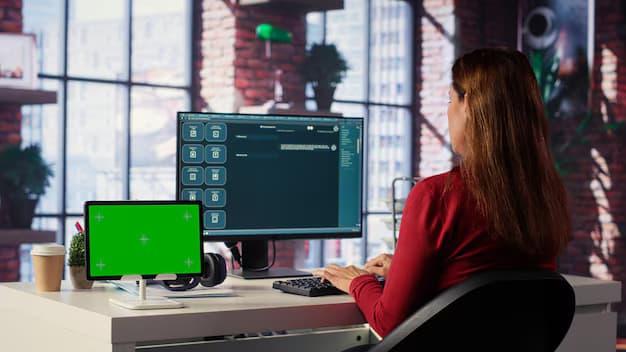
Modern businesses increasingly require flexible computing environments that allow employees to access applications, files, and familiar workspaces from different locations and devices. Traditional desktop management can become complicated when organizations operate across offices, remote locations, and distributed teams. Understanding how does virtual desktop work helps organizations evaluate a computing model in which desktop resources are hosted centrally and delivered securely to authorized users. This approach can simplify administration, improve accessibility, strengthen control over business resources, and support changing workforce requirements without requiring every employee to depend on a powerful physical computer.
Understanding the Virtual Desktop Concept
Centralized Desktop Computing
A virtual desktop is a software based representation of a computer desktop that operates on centralized infrastructure rather than directly on an employee's physical computer. The processing, applications, operating system resources, and associated data can remain within a controlled environment while the user interacts with the desktop through a network connection. The employee generally sees a familiar interface and can work with approved applications much like using a conventional computer. This separation between the user's device and the computing environment allows organizations to manage desktop resources centrally while providing access across different locations.
The Role of Virtualization
Virtualization technology creates an abstract computing environment that can operate independently from the physical hardware used to host it. In a virtual desktop environment, servers provide the processing resources needed for multiple desktop sessions or virtual machines. Each environment can be configured according to organizational requirements, including applications, security policies, storage access, and user permissions. Because these resources are managed centrally, administrators can maintain consistent configurations and reduce the need to manually configure every physical endpoint. Virtualization also allows computing resources to be allocated according to workload demands, making infrastructure management more adaptable.
How Virtual Desktop Access Works
User Connection and Authentication
The process generally begins when an employee connects to a virtual desktop service through an approved client or web interface. The system verifies the user's identity before allowing access to authorized resources. Authentication may involve passwords, multifactor verification, device checks, or other security controls established by the organization. After successful authentication, the platform identifies the desktop environment and applications assigned to that user. The employee can then interact with the virtual workspace through the network. Although the processing may occur elsewhere, the user experience can closely resemble working on a conventional desktop.
Communication Between User and Server
During a virtual desktop session, the employee's device primarily sends input information and receives visual updates from the centralized environment. Keyboard actions, mouse movements, and other interactions are transmitted through the network, while the remote system processes those actions. The resulting screen information is then delivered back to the user's device. Efficient communication protocols help maintain responsiveness while controlling bandwidth consumption. Network quality therefore plays an important role in the overall experience. Organizations typically consider latency, available bandwidth, connection reliability, and endpoint capabilities when designing a virtual desktop environment.
What Happens Behind the Scenes
Desktop Resource Allocation
When a user starts a session, the virtual desktop infrastructure determines which computing resources should support that session. Depending on the architecture, resources may include processing capacity, memory, storage, application services, and network access. The system can assign an existing desktop environment or create a session according to predefined configurations. This centralized allocation makes it possible to standardize employee workspaces while still providing different environments for different departments. For example, employees in finance, administration, design, or customer service may receive access to different applications and resource levels based on their responsibilities.
Application Delivery
Applications can be delivered through the virtual desktop environment instead of being installed individually on every physical endpoint. This approach can simplify software deployment because administrators can maintain applications within a centrally managed infrastructure. Updates, patches, and configuration changes can also be handled in a controlled manner. When employees sign in, they receive access to the applications permitted for their roles. This can reduce inconsistencies between devices and help organizations maintain standardized software environments. Application delivery can also support employees using less powerful devices because demanding workloads may be processed within centralized infrastructure.
Benefits for Modern Businesses
Flexible Workforce Access
One of the major advantages of virtual desktops is the ability to support employees working from different locations. An employee may access an authorized desktop from an office, home workspace, branch location, or another approved environment without moving the entire computing setup. This flexibility can be particularly useful for organizations with distributed teams and changing workplace policies. Employees can maintain access to familiar applications and resources while organizations retain centralized control. Virtual desktop technology therefore provides a practical foundation for supporting flexible working arrangements without requiring every employee to receive identical high performance physical hardware.
Simplified IT Administration
Centralized desktop management can reduce repetitive administrative work for IT teams. Instead of configuring and maintaining applications separately across hundreds or thousands of physical computers, administrators can manage many resources from a centralized environment. Standardized desktop images, policies, applications, and permissions can be maintained more consistently. When a user joins the organization, the appropriate workspace can be provisioned according to predefined requirements. When a user changes responsibilities, access can be adjusted centrally. This approach can make routine administration more structured and can help IT teams spend more time on strategic technology improvements rather than repetitive endpoint maintenance.
Security and Data Protection
Centralized Data Management
Virtual desktop environments can help organizations keep sensitive business information within controlled infrastructure instead of storing large amounts of data directly on employee devices. Since applications and data can remain in centralized environments, the risk associated with lost or stolen endpoints may be reduced. Organizations can establish access policies that determine which users can reach particular resources. Additional controls can restrict activities such as copying information, transferring files, or accessing unauthorized applications. Centralized management does not automatically guarantee security, but it provides an architecture in which security policies can be applied consistently across many user environments.
Access Control and Monitoring
Strong identity management is an important component of virtual desktop security. Organizations can define which users receive access to specific applications, desktop environments, files, and network resources. Administrative policies can also establish session controls, authentication requirements, and other safeguards. Monitoring capabilities may provide visibility into login activity, resource consumption, and unusual behavior. These controls can help organizations identify potential issues and respond more efficiently. Security teams can combine virtual desktop controls with broader organizational security practices to create layered protection rather than relying on a single technology to address every potential threat.
Supporting Business Continuity
Reliable Access During Disruptions
Business operations can become difficult when physical offices, individual computers, or local systems experience unexpected problems. A centrally managed virtual desktop environment can provide an alternative way for authorized employees to reach their workspaces when normal working conditions are disrupted. If infrastructure is designed with appropriate redundancy and recovery capabilities, users may continue accessing essential applications from alternative locations. This can support continuity planning and reduce dependence on individual physical machines. Organizations still need comprehensive backup, recovery, networking, and infrastructure strategies, but virtual desktops can form an important part of a broader continuity framework.
Easier Device Replacement
Physical devices eventually experience hardware failures, performance limitations, or replacement requirements. Virtual desktop environments can reduce the operational impact of such incidents because the user's primary computing environment can remain centrally hosted. If an employee's device becomes unusable, another compatible device may provide access after appropriate authentication and configuration. This can make hardware replacement less disruptive to daily operations. The organization can also extend the useful life of certain endpoint devices when demanding processing occurs centrally. Consequently, desktop virtualization can separate the lifecycle of user hardware from the lifecycle of the business computing environment.
Scalability in Growing Organizations
Supporting New Employees
Growing businesses frequently need to provision computing environments for new employees quickly. A centralized virtual desktop architecture can simplify this process by allowing administrators to provide standardized workspaces based on established templates and policies. Instead of preparing each physical computer manually, IT personnel can configure access to the required environment and applications. This can make employee onboarding more consistent and reduce setup time. It also allows organizations to establish different workspace profiles for departments, roles, or project teams. As workforce requirements change, administrators can modify access without completely rebuilding the employee's physical computing environment.
Managing Changing Resource Demands
Business workloads are rarely constant. Some departments may require additional computing resources during specific periods, while others may operate with relatively stable requirements. Virtual desktop environments can provide greater flexibility in allocating resources according to demand. Administrators can monitor usage and adjust infrastructure capacity when necessary. Proper planning is still essential because centralized systems must have enough processing, memory, storage, and network capacity to support expected workloads. When designed effectively, virtualization can make resource utilization more efficient and provide organizations with a structured way to respond to changing workforce and application requirements.
Considerations Before Implementation
Network and Infrastructure Requirements
Although virtual desktops can provide significant advantages, successful implementation depends on suitable infrastructure. Reliable connectivity is particularly important because users interact with centralized resources through a network. Organizations need to evaluate bandwidth, latency, redundancy, server capacity, storage performance, and network security before deployment. Application requirements should also be examined because some workloads may require specialized processing or peripheral support. A detailed assessment helps determine whether the proposed architecture can deliver an acceptable user experience. Capacity planning should account for normal usage as well as peak demand, employee growth, application changes, and potential recovery scenarios.
User Experience and Application Compatibility
A virtual desktop strategy should focus on employee productivity rather than technology alone. Applications need to operate reliably within the selected environment, and users should experience responsive sessions during normal working conditions. Organizations should test commonly used applications, printing requirements, file access, collaboration tools, peripherals, and other workplace functions before large scale deployment. Different employee groups may have different expectations and technical requirements. Pilot programs can reveal compatibility issues and usability concerns before broader implementation. This preparation helps organizations create virtual workspaces that support real business processes instead of simply reproducing existing desktop configurations.
The Future of Virtual Desktop Environments
Greater Workplace Flexibility
As organizations continue adopting flexible working models, virtual desktop technology can provide a structured method for delivering consistent computing environments. Employees may increasingly expect to access business applications from different approved devices and locations while maintaining familiar workflows. Centralized desktop delivery can support this expectation by separating the workspace from a specific physical endpoint. Organizations can therefore design technology environments around user access and business requirements rather than relying entirely on traditional office based computing. This shift can help businesses respond more effectively to workforce changes while maintaining centralized management and governance.
Conclusion
Virtual desktop technology provides a practical approach to delivering centralized computing resources while giving employees flexible access to applications and familiar work environments. By separating the desktop experience from individual physical devices, organizations can simplify administration, improve scalability, strengthen centralized control, and support distributed workforces. Understanding how does virtual desktop work allows decision makers to evaluate infrastructure, security, application compatibility, networking, and user experience before implementation. When carefully planned and aligned with business requirements, virtual desktop environments can become a valuable part of modern workplace technology strategies. Inuvika OVD Enterprise can support organizations seeking a practical approach to modern virtual desktop delivery and centralized workspace management.
 Portuguese
 English
 Arabic
 French
 Spanish
 Deutsch
 Turkish
 Dutch
Dutch
 Italiano
 Russian
 Romaian
 Portuguese (Brazil)
 Greek
Greek