


Understanding stream formats: HLS, MPEG-TS, and why some players handle them differently
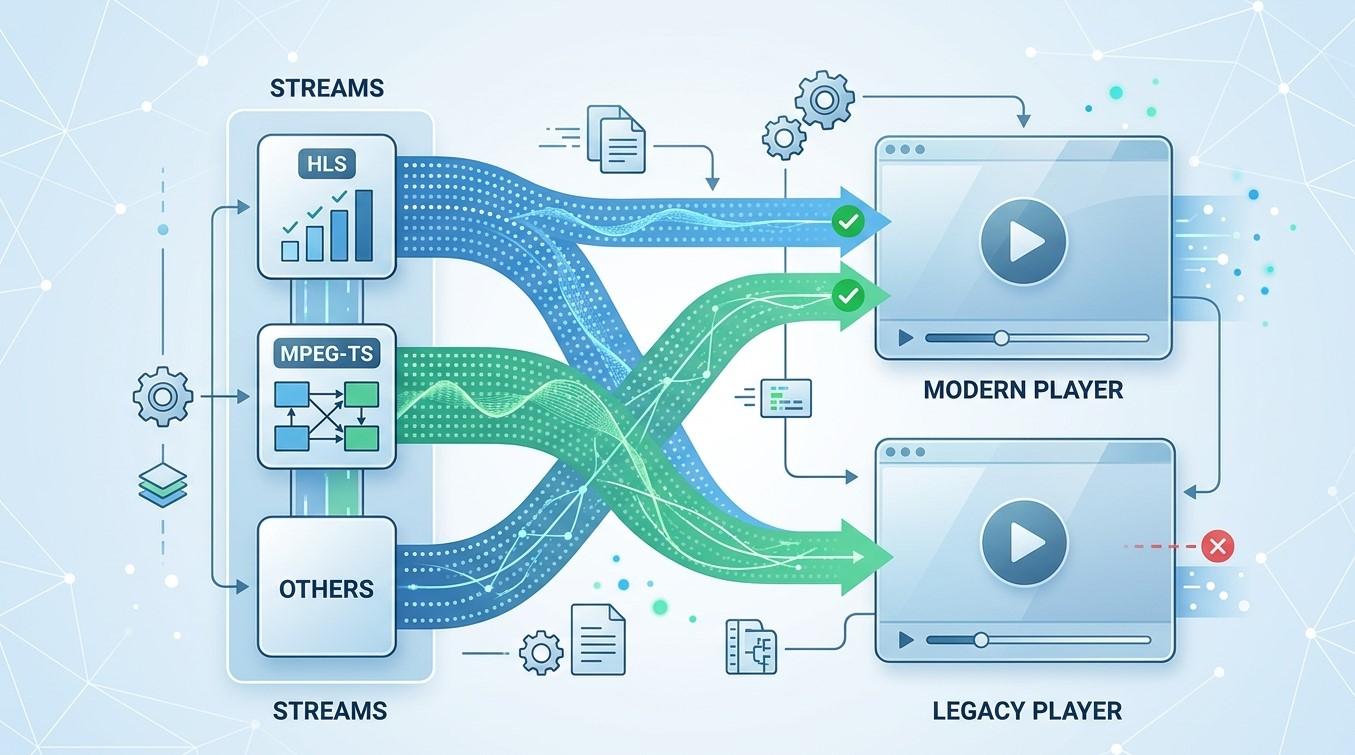
You open a channel and it plays instantly in one app but stalls, lags, or fails in another. Often the channel isn’t the problem. The two apps are handling the same stream in different ways, depending on its format. In this guide, we’ll explain the two formats you’re most likely to meet, why players treat them differently, and what to try when one misbehaves on your Indian IPTV Box while watching IPTV India.
Table of Contents
- Three Layers: Protocol, Container, Codec
- MPEG-TS Streams
- HLS Streams
- Side-by-Side Comparison
- The M3U and M3U8 Confusion
- Why Players Handle Formats Differently
- Symptoms and Likely Causes
- What You Can Try
- FAQs
Three Layers: Protocol, Container, Codec
A stream has several layers, and people often mix them up:
- Codec: How video and audio are compressed, such as H.264 or AAC
- Container: How compressed audio and video are packaged together, such as MPEG-TS or MP4
- Delivery method: How the data travels to you, such as one continuous flow or a series of small files
HLS and MPEG-TS sit at different layers, which is why comparing them takes care. The practical result is the same, though: your player has to support the whole combination.
MPEG-TS Streams
MPEG transport stream is a container designed for broadcast. It splits video, audio, and data into small fixed-size packets, which makes it resilient when some data is lost.
- Continuous delivery. Over the internet it often arrives as one never-ending stream
- Low delay, since nothing waits for a file to finish
- No built-in quality switching. The stream has one quality, so a slow connection means buffering instead of a smoother, lower-resolution picture
- Simple, widely supported, though not every player handles every variation
HLS Streams
HTTP Live Streaming chops video into short segments and lists them in a playlist file. The player downloads segment after segment, like reading a book page by page.
- Adaptive quality. A master playlist can offer several versions, and the player switches between them as your connection changes
- Works over ordinary web servers, and plays well with content delivery networks
- Typically more delay behind live, because the player collects several segments before starting. Low-latency variants exist but need support at both ends
- Segments may use different containers, including MPEG-TS or fragmented MP4, depending on the provider
Side-by-Side Comparison
| Feature | MPEG-TS (continuous) | HLS |
|---|---|---|
| Delivery | One ongoing stream | Short segments plus a playlist |
| Delay behind live | Usually lower | Often higher |
| Adaptive quality | Not built in | Common |
| Resilience to weak connections | Buffers or stutters | Can drop to a lower quality |
| Pausing and rewinding | Limited | Often easier |
| Player support | Wide but varied | Very wide |
Neither is better in every case. Providers choose based on their infrastructure, and some offer both.
The M3U and M3U8 Confusion
Both formats involve files ending in .m3u or .m3u8, which causes real confusion:
- An IPTV channel list is a playlist of channels, with names and stream addresses
- An HLS playlist is a playlist of video segments for one stream
They share a file family but do different jobs. A channel list may contain addresses of continuous streams, HLS streams, or both, so the extension alone doesn’t tell you what you’re playing.
Why Players Handle Formats Differently
Even with the same stream, players can behave differently because of:
- Buffering strategy. One player may wait for several segments before starting, while another starts quickly with a small buffer
- Quality switching logic. Players choose and change quality using different rules
- Timestamp handling. Live streams sometimes contain timing breaks, and some players recover smoothly while others stutter or lose sync
- Codec and hardware decoding support, which decide whether video plays smoothly
- Network handling, such as redirects, secure connections, and how a request identifies itself
- Error recovery. Some players retry quietly, while others stop
- Interface choices, such as how pause, rewind, and seeking work on live content
That’s why trying a second player is a standard test.
Symptoms and Likely Causes
- Slow channel start: A large initial buffer, or a long segment length
- Stream runs well behind live: Segment-based delivery and buffer settings. Our guide to delay and watch parties covers why this happens
- Stutters at regular intervals: Segment boundaries, timing breaks, or an unstable connection
- Black screen with audio, or picture with no sound: Codec or decoder problems, as in our guides on those symptoms
- Works in one app only: Player support, headers, or decoder settings
- Freezes on a weak connection with no quality drop: A single-quality stream with no adaptive switching
What You Can Try
- Test another player app your provider supports
- Switch hardware and software decoding in the player’s settings
- Adjust buffer size, if the player offers it. A larger buffer adds delay but can improve stability
- Update the app and firmware
- Check your connection on Ethernet, and review jitter and packet loss using our speed test guide
- Ask your provider whether they offer both continuous and HLS versions of your channels, and which they recommend for your device
- Use only the playlist links and settings your provider supplies, rather than editing addresses yourself or using unofficial tools
- Give support specifics, such as the channel, the player, and what changes between apps
FAQs
1. Is HLS better than MPEG-TS?
Neither wins in every case. HLS adapts to your connection but usually runs further behind live, while a continuous stream typically has lower delay but can’t change quality.
2. Why does a channel work in one app but not another?
The players may handle buffering, codecs, timing, or network details differently. Trying another player is a good first test.
3. Does the file extension tell me the format?
Not reliably. Both .m3u and .m3u8 can be a channel list or an HLS playlist, and many continuous streams have no obvious extension.
4. Can I change the format myself?
Only if your provider offers it, and you should use the options they supply. Ask them what they support.
5. Will changing formats fix buffering?
Sometimes. If your connection is the cause, fixing that matters more. If the format and player combination is the problem, another option may help.
Know Your Streams, Fix Problems Faster
Understanding formats takes the mystery out of players behaving differently. Pair a dependable IPTV India subscription with a capable Indian IPTV Box and a flexible player, and you’ll have more ways to keep every channel playing smoothly. Explore our IPTV plans today and stream with confidence.

 English
 Arabic
 French
 Spanish
 Portuguese
 Deutsch
 Dutch
Dutch
 Italiano
 Russian
 Romaian
 Portuguese (Brazil)
 Greek
Greek