


How to Choose UAE E-Invoice Processing Software for Your Business
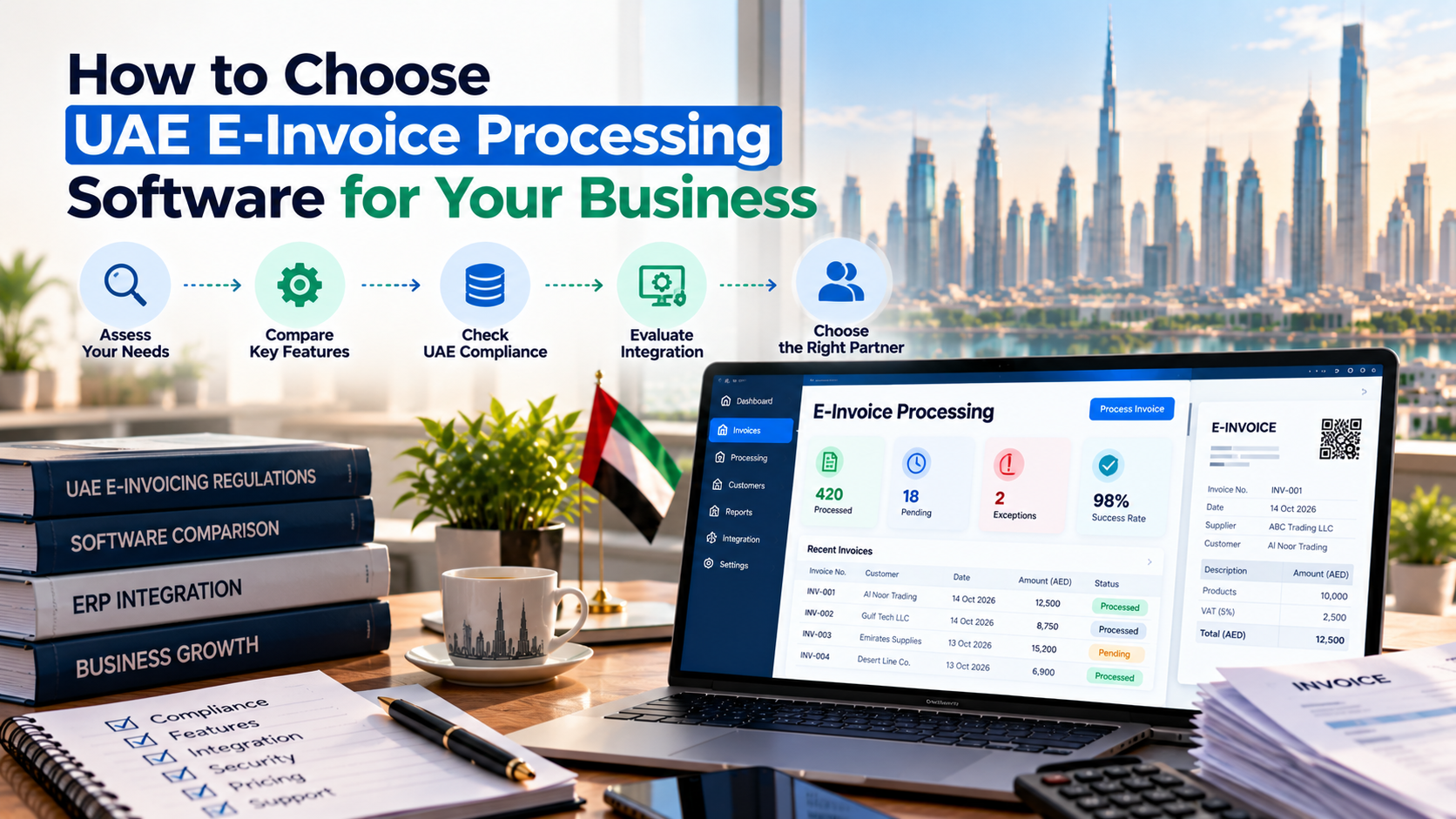
As businesses grow, processing invoices can become more complicated than simply creating a document and sending it to a customer. Finance teams may need to verify supplier details, check invoice data, update accounting records and follow up on errors across different systems. For companies operating in the UAE, choosing the right UAE e-invoice processing software also means preparing for structured electronic invoicing while keeping existing finance operations organised.
The right software should help businesses handle invoice information consistently, connect with their accounting systems and identify problems before they create delays. Before selecting a provider, companies should understand their current invoicing workflow, transaction volumes, integration requirements and applicable compliance obligations. These factors provide a more reliable basis for comparing solutions than a feature list alone.
What Does E-Invoice Processing Involve?
E-invoice processing covers the activities involved in preparing, exchanging, validating and recording electronic invoices. Depending on the business and its systems, the workflow may involve both sales invoices issued to customers and purchase invoices received from suppliers.
Structured electronic invoicing is different from simply emailing a PDF. Invoice data must follow the applicable electronic format and exchange process. Businesses therefore need to consider how invoice information moves between their operational systems and the relevant invoicing infrastructure.
A typical workflow may include:
- Data preparation: Collecting customer, supplier and transaction details.
- Validation: Checking required fields and identifying incorrect or missing information.
- Invoice exchange: Sending or receiving invoice data through the applicable system.
- Status monitoring: Identifying invoices that have been processed, rejected or require attention.
- Reconciliation: Matching invoice records with accounting entries and related transactions.
The exact workflow depends on the company's systems and applicable requirements. Understanding these stages helps businesses identify which activities their software needs to support.
Features to Evaluate When Choosing E-Invoice Processing Software
Not every business needs the same capabilities. A small service company may prioritise straightforward billing, while a distributor or manufacturer may require integration across several systems.
The following features can help businesses assess whether a solution fits their operations.
1. Invoice Data Validation
Incorrect invoice information can lead to rejected submissions, repeated corrections and additional work for finance teams. Software should help identify missing fields or inconsistent data before invoices move through the relevant workflow.
During a demonstration, ask the provider to show how the system handles an invoice with an incorrect customer identifier or incomplete information. Check whether the error message explains what needs to be corrected and whether employees can easily locate the affected record.
2. Accounting and ERP Integration
Many businesses already use accounting software or an enterprise resource planning (ERP) system to manage financial transactions. Introducing a separate invoicing platform without a clear integration plan can create another layer of manual work.
Before choosing a solution, establish:
- Which accounting or ERP systems need to connect.
- How invoice information will move between applications.
- Whether customer and supplier records require data mapping.
- How failed data transfers will be identified and resolved.
A provider should explain the proposed integration and any additional configuration required. Do not assume that compatibility with a particular software product means every feature will work without further development.
3. Invoice Status Tracking
Finance teams need visibility into what happens after an invoice enters the processing workflow. A useful system should make it easier to identify invoices that require correction or follow-up.
Ask whether authorised employees can view processing statuses, understand rejection reasons and trace individual invoices when investigating discrepancies. Clear status information can reduce the need for manual follow-ups between finance and IT teams.
4. Security and Record Management
Invoices contain commercially sensitive information, including transaction values, customer details and supplier records. Businesses should understand how the provider manages access and protects invoice information.
Review user permissions, audit trails, record retention and the process for retrieving historical invoices. The solution should also fit the company's internal security policies and record-management requirements.
5. Support and Implementation
Even a well-designed system can encounter problems during implementation. Businesses should establish who will help with configuration, integration testing and issues that arise after the system goes live.
Ask providers to clarify the scope of onboarding, technical support and issue escalation. Knowing which responsibilities belong to the business and which belong to the provider can prevent confusion during implementation.
How to Compare Different Solutions
A structured comparison helps businesses assess providers against the same criteria rather than relying on demonstrations or promotional claims.
| Evaluation area | What to check |
|---|---|
| Data validation | Identification of missing or incorrect invoice information |
| Integration | Compatibility with existing accounting and ERP systems |
| Processing visibility | Status tracking and clear rejection information |
| Security | Access controls, audit trails and record management |
| Implementation | Setup requirements, testing and staff training |
| Support | Assistance with technical issues and invoice exceptions |
| Total cost | Subscription, integration, onboarding and ongoing charges |
After reviewing the options, divide requirements into essential, important and optional categories. Compliance-related requirements and necessary integrations should be addressed first. Additional features should be evaluated according to their practical value.
This approach also helps businesses identify hidden costs. A low subscription fee may not represent the best value if integration requires substantial development or employees must continue performing repetitive tasks manually.
Preparing Your Business for Implementation
Selecting suitable software is only part of the process. Businesses should prepare their data, document existing workflows and assign responsibilities before implementation begins.
Review Existing Invoice Data
Start by identifying where customer details, supplier records and transaction information are stored. Look for duplicate entries, incomplete fields and inconsistencies between applications.
For example, a supplier may have different names or identifiers in the accounting system and procurement database. If these records are not reviewed before integration, employees may need to correct the same information repeatedly.
Cleaning and standardising relevant records gives the implementation team a more reliable starting point.
Map the Invoice Workflow
Document how invoices move through the business, from creation or receipt to processing and accounting. Include exceptions such as credit notes, corrections and rejected invoices.
Businesses exploring UAE e-invoicing software solutions can use the available solution information as a starting point when assessing their requirements for invoice processing and system integration.
The business should then test representative transactions before going live. Include a routine invoice, a credit note and an example containing incorrect information. Confirm that the system identifies problems and that employees understand how to resolve them.
Assign Clear Responsibilities
Decide who will manage invoice data, coordinate with the software provider and investigate processing issues. In smaller companies, one employee may handle several tasks, but ownership should remain clear.
Finance teams should understand the invoice workflow, while IT staff or external technical teams should know how to investigate integration problems. Clear responsibilities make it easier to resolve issues without unnecessary delays.
A Practical Example: Reducing Manual Invoice Work
Consider a UAE trading company that receives supplier invoices by email. Employees enter invoice details into accounting software, check supplier information separately and use a spreadsheet to track outstanding records.
As the number of invoices increases, the team spends more time entering data and checking whether records have been processed correctly.
Before purchasing new software, the company should identify where the delays occur. If repeated data entry is the main problem, integration may be a priority. If invoices frequently contain incorrect information, validation and data-quality checks may be more important.
The company can then compare providers using a small set of representative transactions. It should measure how much manual work remains, how clearly errors are reported and whether the proposed workflow fits its existing accounting process.
The best option is the one that addresses the company's actual problems while meeting its applicable requirements. Buying software with additional features will not necessarily improve processing if the main issue is poor data quality or an unclear workflow.
Common Mistakes to Avoid
Businesses can make the selection process more effective by avoiding a few common mistakes.
- Choosing based only on price: Compare the total cost, including integration, onboarding and ongoing support.
- Ignoring existing systems: Confirm that the proposed solution fits the company's accounting and ERP environment.
- Overlooking exception handling: Test rejected invoices, corrections and credit notes instead of checking routine transactions alone.
- Skipping data preparation: Review customer and supplier records before implementation.
- Leaving responsibilities unclear: Establish who handles invoice errors, technical issues and reconciliation.
Addressing these points early can help businesses avoid unnecessary rework and make the transition more manageable.
Conclusion
Choosing UAE e-invoice processing software requires businesses to look beyond invoice creation. Data validation, system integration, status tracking, security and support all influence how well a solution fits daily finance operations.
Start by reviewing the current workflow, identifying the main sources of manual work and defining essential requirements. Compare providers against consistent criteria, test realistic transactions and confirm the full implementation cost before making a decision.
A solution that fits the business's actual needs can help create a more consistent invoicing process while supporting the transition to structured electronic invoicing in the UAE.
Utenti Verificati
 Italiano
 English
 Arabic
 French
 Spanish
 Portuguese
 Deutsch
 Turkish
 Dutch
Dutch
 Russian
 Romaian
 Portuguese (Brazil)
 Greek
Greek