


Client Portal Software for Accountants: How to Improve Client Communication and Efficiency
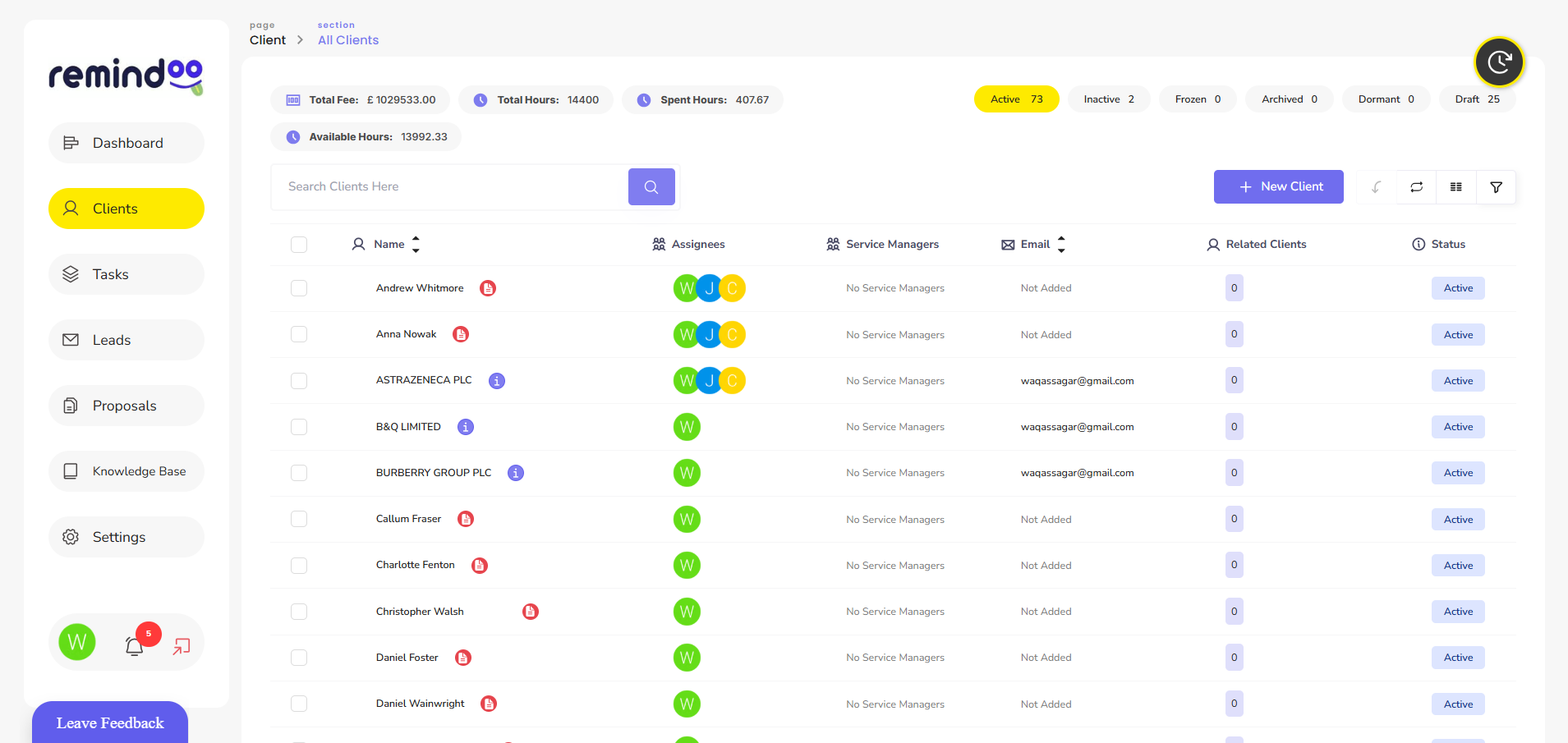
Clear communication is essential for a successful accounting practice. Accountants regularly request financial records, explain tax obligations, answer client questions and follow up on outstanding information. When these activities take place across scattered emails, phone calls and messaging applications, important details can be missed and routine work can take longer than necessary.
Client portal software for accountants provides a central place where accounting firms and their clients can exchange information, share documents and manage communication. When implemented effectively, a client portal can reduce administrative friction, improve visibility and create a more organised experience for both accountants and clients.
What Is Client Portal Software for Accountants?
Client portal software for accountants is a digital platform that allows clients to interact with their accounting firm through a dedicated online space. Depending on the software, clients may be able to upload documents, access shared files, complete requests, review information and communicate with their accountant.
Instead of searching through long email conversations, clients can use a central platform to find relevant information and understand what action is required.
For accounting firms, a portal can support recurring activities such as preparing accounts, gathering records, managing tax-return information and following up on outstanding tasks. The exact features available depend on the software selected.
Why Do Accounting Firms Need a Centralised Client Portal?
Many accounting firms manage multiple clients with different deadlines, reporting requirements and information needs. Handling every request manually can create unnecessary administrative work.
A centralised portal can help address several common challenges.
Reduce Scattered Email Conversations
Email remains useful for general communication, but it can become difficult to manage when a client has several ongoing requests. Documents may be attached to different messages, while important questions can become buried in lengthy conversations.
A client portal provides a more structured way to exchange information. Clients can access the relevant files and requests without relying entirely on their email history.
Make Document Collection More Organised
Accountants often need bank statements, invoices, expense records, payroll information and other documents before completing client work.
A portal can provide a consistent location for submitting and accessing these files. Where task lists or document requests are available, clients can also see which items remain outstanding.
This can reduce repeated requests and help accounting teams identify missing information earlier.
Improve Visibility of Outstanding Work
Clients do not always know whether their accountant is waiting for information or whether a particular task is already in progress.
Client portal software can improve visibility by displaying outstanding requests, submitted documents or task statuses, where supported. This helps both parties understand what needs to happen next.
Essential Features to Look for in Client Portal Software for Accountants
Not every accounting practice needs the same features. Before choosing a platform, firms should consider their workflow, client requirements and existing software.
1. Secure Document Sharing
A useful portal should make it straightforward to exchange financial documents without depending entirely on email attachments.
Look for appropriate access permissions, secure file transfers and clear controls over who can view or download information. Consider whether the system supports the file types and document volumes your practice regularly handles.
2. Client Communication Tools
Communication features can help keep questions, updates and requests organised. Depending on the platform, these may include messaging, notifications, comments or links between conversations and particular tasks.
The aim is not necessarily to eliminate email. It is to make important client communication easier to find and manage.
3. Task and Deadline Tracking
Accounting work involves recurring activities and deadlines. Features that display assigned tasks, due dates and outstanding requests can help staff manage priorities.
Some platforms also support automated reminders, which can reduce the need for manual follow-ups. Firms should check whether these reminders can be customised to suit different clients and workflows.
4. Simple Client Access
A portal should be easy for clients to use, including those who are not particularly confident with technology.
Consider whether clients can access the system on mobile devices, upload documents without difficulty and understand what action they need to take. A complicated onboarding process may discourage regular use.
5. Integration With Existing Systems
Accounting firms often use separate tools for bookkeeping, accounts production, tax preparation, email and practice management.
Software integrations can reduce duplicate data entry and help information move between systems. Before committing to a platform, check which integrations are available and whether they support your existing workflow.
6. Appropriate Security Controls
Accounting firms handle confidential financial and personal information. Security should therefore be a central consideration when selecting client portal software.
Look for features such as role-based permissions, multi-factor authentication, secure data transmission, activity records and appropriate backup arrangements. Also review the provider's data-processing terms, retention practices and incident-response procedures.
No single feature guarantees complete security. The practice should assess the platform's overall controls and how staff and clients will use it.
How Client Portal Software Improves Everyday Accounting Workflows
The value of a portal becomes clearer when it is connected to the firm's routine processes.
Consider the preparation of a client's annual accounts. The accountant needs financial records, checks whether information is missing, follows up on outstanding items and reviews the documents received.
Without a central process, each step may involve separate emails and manual tracking. With a suitable portal, the accountant can issue a structured request, the client can upload the relevant documents, and the team can track outstanding items in the same working environment if the software supports these functions.
Similar processes can apply to payroll information, VAT records, bookkeeping queries and other recurring accounting work.
However, software alone will not resolve every workflow problem. Accounting firms should also define responsibilities, standardise requests and agree on how quickly clients are expected to respond.
Protecting Client Information and Meeting Data Protection Responsibilities
A client portal can support more controlled information sharing, but using one does not automatically make an accounting firm compliant with data protection law.
UK businesses that handle personal information must follow applicable data protection requirements. The government explains these responsibilities in its guide to data protection and your business.
Accounting firms should assess what information they collect, why they need it, who can access it and how long it should be retained. They should also review the security arrangements of any third-party software provider and ensure that staff understand how to handle client information appropriately.
A written process for managing access, responding to incidents and removing access when a client relationship ends can further strengthen information management.
How to Encourage Clients to Use a New Portal
Introducing new software is only part of the process. Clients need to understand why the portal is being introduced and how to use it.
Accounting firms can encourage adoption through a few practical steps:
-
Explain the benefits: Show clients how the portal helps them submit documents and find important requests.
-
Keep onboarding simple: Provide clear instructions for signing in and completing common tasks.
-
Use consistent processes: Send document requests through the agreed channel rather than switching between several systems unnecessarily.
-
Offer initial support: Help clients who need assistance with access or document uploads.
-
Ask for feedback: Review common difficulties and improve the process where possible.
Consistent use by the accounting team is particularly important. If staff continue to manage most requests through separate channels, clients may struggle to understand which system they should use.
How Remindoo Fits Into Accounting Practice Management
Client communication is closely connected to the wider management of accounting work. Firms need to organise client information, assign responsibilities, track deadlines and ensure that outstanding requests receive attention.
Remindoo is an AI-powered practice management platform for UK accountants and bookkeepers. Its practice management capabilities include client management, client portal functionality, task and workflow management, reminders and other tools designed to help firms organise recurring work.
For a practice evaluating client portal software for accountants, Remindoo is one option to consider alongside other platforms. Firms should compare its available portal functions, integrations, permissions and workflow capabilities against their specific requirements before making a decision.
A portal is most useful when it forms part of a consistent process. Combining organised client communication with clear task ownership and deadline tracking can help reduce fragmented administration across an accounting practice.
How to Choose the Right Client Portal for Your Practice
Before selecting software, accounting firms should identify the main problems they want to solve. A small practice may prioritise secure document collection and simple client communication, while a larger firm may need more advanced permissions, integrations and workflow visibility.
A practical evaluation should cover:
-
Client experience: Can clients easily access the portal and complete common tasks?
-
Workflow suitability: Does the platform support the firm's regular accounting processes?
-
Security: Are access controls and data protection arrangements appropriate?
-
Integration: Will the portal work with the firm's existing systems?
-
Scalability: Can it accommodate changes in client numbers and staff responsibilities?
-
Costs and support: Are the pricing structure, onboarding and ongoing support suitable?
Testing the software with a small group of clients can reveal usability problems before a full rollout.
Conclusion
Client portal software for accountants can make communication, document sharing and routine client requests easier to organise. Its value depends on selecting appropriate features, establishing consistent workflows and encouraging both staff and clients to use the system effectively.
Accounting firms should assess usability, security, integrations and task management alongside the portal itself. Platforms such as Remindoo provide an option for firms looking to connect client portal functionality with broader practice management workflows.
With a clear implementation plan and appropriate safeguards, a client portal can support a more organised client experience and help accounting teams manage their work more efficiently.
 Italiano
 English
 Arabic
 French
 Spanish
 Portuguese
 Deutsch
 Turkish
 Dutch
Dutch
 Russian
 Romaian
 Portuguese (Brazil)
 Greek
Greek