


Best PST Converter Software in USA: How to Choose the Right Outlook Conversion Tool
Outlook email archives often contain information that businesses cannot afford to lose. Customer conversations, invoices, project discussions, contracts, and years of professional communication may all be stored in PST files. But what happens when you need to move those emails to another platform, create a different type of backup, or access archived messages without Outlook?
That is where PST converter software becomes useful.
For individuals, small businesses, IT administrators, and enterprise teams in the United States, choosing the right tool involves more than finding a product with an attractive price. You need software that supports your PST files, provides the required export formats, handles attachments properly, and fits your organization's security requirements.
This guide explains what to look for when comparing the best PST converter software in USA, how conversion works, and which questions to ask before purchasing.
What Is PST Converter Software?
PST (Personal Storage Table) is a file format used by Microsoft Outlook to store mailbox information. A PST archive can contain:
-
Emails and email attachments
-
Contacts and address book information
-
Calendar appointments and meetings
-
Tasks and notes
-
Mailbox folders and subfolders
PST converter software exports this information into other formats supported by email applications or document workflows.
Common output formats include:
-
MBOX: Used by several email applications and migration workflows.
-
EML: Stores individual email messages as separate files.
-
MSG: Stores individual Outlook message items.
-
PDF: Creates readable copies of email messages.
-
HTML: Saves email content in a browser-readable format.
The available formats depend on the converter. Always check that the product supports your intended destination before purchasing.
Why Do US Businesses and Individuals Need PST Converter Software?
PST conversion can solve several everyday email management problems.
1. Migrating Between Email Platforms
A company moving from Outlook to another email platform may need to transfer its historical mailbox data. A converter can help export PST information into a format accepted by the destination application.
For example, an MBOX export may be useful when migrating to an email client that supports MBOX imports.
2. Long-Term Email Archiving
Businesses may need to retain historical correspondence for internal recordkeeping. Exporting selected messages into PDF or another accessible format can make reviewing archived communication easier.
For legal, regulatory, or e-discovery work, confirm that the export process meets the organization's preservation and audit requirements. A standard conversion should not automatically be treated as a forensic preservation process.
3. Managing Employee Mailbox Data
When employees leave an organization, IT teams may need to retain or migrate their mailbox information according to company policy. PST conversion can help prepare archived messages for another storage or review workflow.
4. Accessing Old PST Archives
Some users have PST files from older Outlook installations or previous computers. A compatible converter may allow them to export the information without relying on the original Outlook environment.
5. Creating Alternative Backups
Converting selected email data into EML, PDF, or HTML can provide another way to access important messages. The best format depends on whether you need individual messages, searchable documents, or migration-ready mailbox data.
Essential Features of the Best PST Converter Software
Not every converter offers the same capabilities. Evaluate these features before selecting a product.
1. ANSI and Unicode PST Compatibility
Outlook uses ANSI and Unicode PST formats. Older ANSI PST files have more limited character support and a smaller practical file-size limit than Unicode PST files.
If you manage archives from different Outlook versions, choose software that clearly documents support for both formats.
2. Multiple Export Formats
A suitable converter should support the output format required for your project. For example, a migration to an MBOX-compatible email client requires different functionality from exporting emails as PDF documents.
Avoid paying extra for formats you do not need.
3. Attachment Preservation
Attachments can contain important business records, including spreadsheets, contracts, invoices, and images. Check whether the converter exports attachments and keeps them associated with the correct messages.
4. Folder Structure Preservation
Outlook users often organize emails into folders and subfolders. A good converter should provide options for retaining this structure where the destination format supports it.
5. Batch Conversion
Organizations handling multiple PST archives can benefit from batch processing. This feature allows users to add several files and process them in one workflow, if supported by the application.
6. Preview and Selective Conversion
Preview functionality helps users inspect mailbox contents before conversion. Selective export allows specific folders or messages to be converted without processing the entire archive.
7. Outlook-Free Conversion
Some third-party converters can process PST files without Microsoft Outlook installed. Others require Outlook or additional components. Check this requirement if your computer does not have Outlook.
8. Security and Privacy
PST files may contain confidential customer information, employee communications, and business documents. Before installing software, review:
-
Whether files are processed locally or uploaded to a server
-
The vendor's privacy policy
-
Access permissions requested by the application
-
Data retention and deletion practices
-
Available security documentation
For regulated or sensitive business environments, involve your IT or security team before processing mailbox archives.
How to Compare PST Converter Software Available in the USA
There are several products on the market, and their features, pricing, and licensing can change. Rather than relying on promotional claims, compare products using a consistent checklist.
| Evaluation factor | What to check |
|---|---|
| PST compatibility | ANSI and Unicode support |
| Output formats | MBOX, EML, MSG, PDF, or required format |
| Attachments | Export and association with messages |
| Folder structure | Preservation of folders and subfolders |
| Batch processing | Support for multiple PST files |
| Operating system | Compatibility with your Windows or Mac environment |
| Outlook dependency | Whether Outlook installation is required |
| Security | Local processing, privacy, and data handling |
| Licensing | Personal, business, or technician usage |
| Support | Documentation and customer assistance |
For example, third-party software listings describe products such as BitRecover PST Converter Wizard and SysInfo PST Converter Tool with different format and batch-processing capabilities. These listings can help build a shortlist, but verify current features, pricing, and license terms directly with each vendor before purchasing. <Cite refs={["turn349411search5","turn349411search1","turn349411search10"]}/>
How to Convert an Outlook PST File
Most desktop PST converters follow a similar workflow.
Step 1: Back Up Your PST File
Create a separate copy of the original archive. Do not use your only copy for testing.
Step 2: Install the Converter
Download the software from the developer's official website and check its system requirements.
Step 3: Add the PST File
Launch the application and select the PST file using its browse or add-file option.
Step 4: Preview Mailbox Contents
If preview functionality is available, inspect folders, emails, and attachments.
Step 5: Select the Output Format
Choose MBOX, EML, MSG, PDF, or another format supported by the software.
Step 6: Select the Destination
Choose a folder with sufficient available storage.
Step 7: Start Conversion
Begin the export and allow the application to finish without interruption.
Step 8: Verify the Results
Open the exported files in a compatible application. Check message content, attachments, dates, and folder organization before relying on the converted archive.
Free vs. Paid PST Converter Software
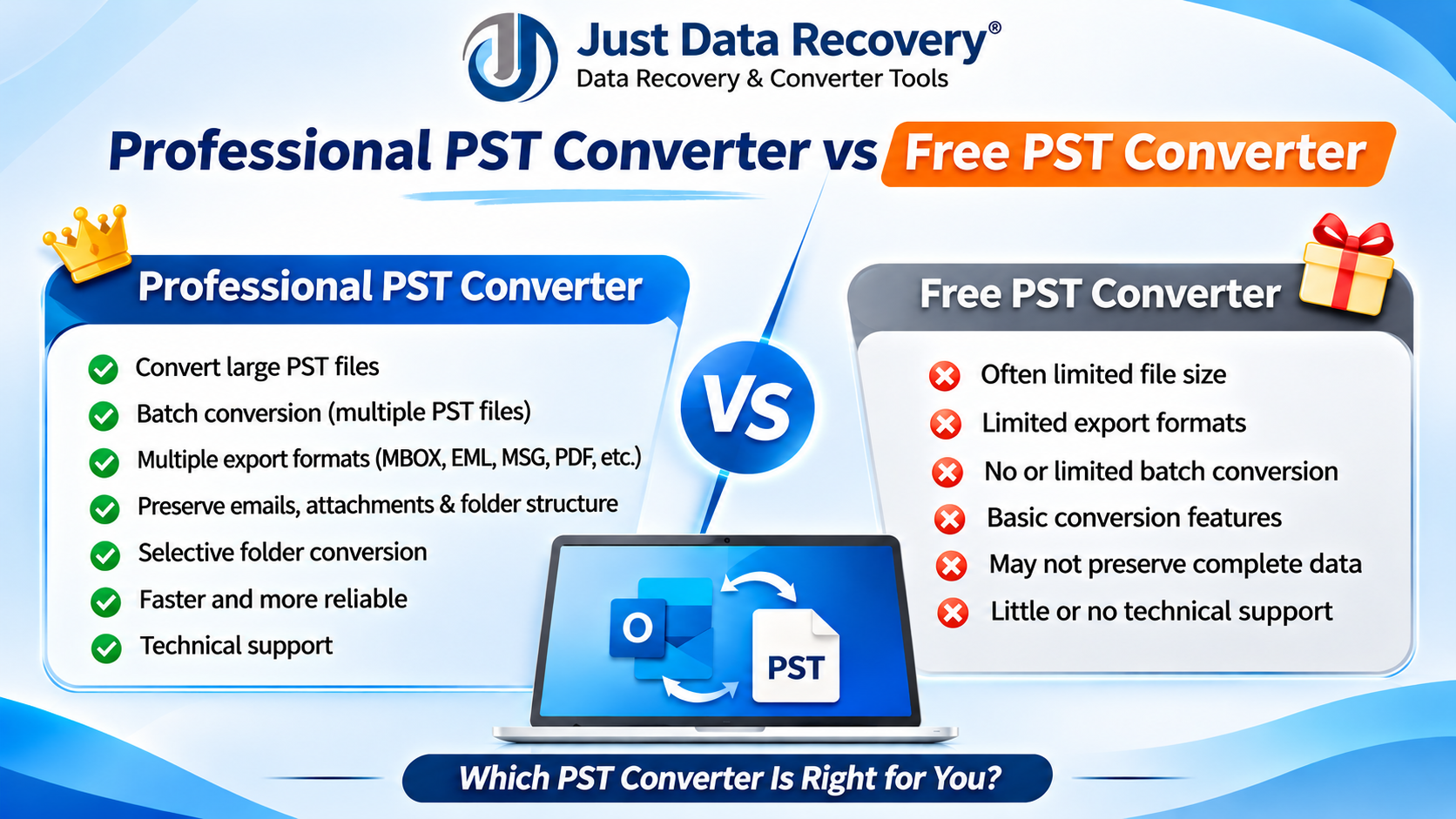
A free tool may be enough for a small, one-time conversion. Paid software may be more appropriate for larger archives or recurring business tasks.
| Feature | Free converter | Paid converter |
|---|---|---|
| Initial cost | Usually free | Requires a license |
| Export formats | May be limited | Depends on product |
| Batch processing | May be restricted | May be supported |
| Large-file handling | May have limits | Depends on license |
| Technical support | May be limited | May be included |
| Advanced filters | Varies | Depends on product |
Do not assume that paid software guarantees perfect conversion. Test the application with a sample PST file and verify the output before processing important business archives.
How to Choose the Right PST Converter for Your Needs
Before purchasing, answer these practical questions:
-
Which output format do you need?
-
How many PST files must be converted?
-
How large are the archives?
-
Do you need ANSI and Unicode PST support?
-
Are attachments and folder structures important?
-
Does the software work without Outlook?
-
Is batch conversion included in the license?
-
Can you test the application before paying?
-
Does the license cover your intended number of computers or users?
The right tool is the one that meets your technical requirements without adding unnecessary cost or complexity.
Frequently Asked Questions
1. What is the best PST converter software in the USA?
There is no single best product for every user. The right choice depends on supported formats, PST file size, attachment handling, security requirements, and budget.
2. Can I convert PST files without Microsoft Outlook?
Yes. Some third-party converters can process PST files independently. Check the product's system requirements before downloading or purchasing it.
3. Can PST converter software export emails to PDF?
Some applications support PST-to-PDF conversion. Confirm whether attachments, formatting, and folder organization are handled in the way your project requires.
4. Is free PST converter software suitable for business use?
It may work for small tasks, but businesses should evaluate file-size restrictions, security, support, licensing, and conversion accuracy before using a free tool for important records.
5. Can I convert multiple PST files at once?
Some converters support batch conversion. Check whether this feature is included in the edition you plan to purchase.
6. How can I protect confidential PST data during conversion?
Use trusted software, review its privacy practices, restrict access to exported files, and follow your organization's data-handling policies. Avoid uploading sensitive archives to unknown services.
7. Should I delete my original PST file after conversion?
No. Keep the original archive until you have verified the converted data and confirmed that your backup and retention requirements are satisfied.
Conclusion
Finding the best PST converter software in USA requires careful comparison of compatibility, export formats, attachment handling, folder preservation, batch processing, security, and licensing.
Whether you are an individual managing old Outlook archives or an IT professional handling business mailbox migrations, the right converter should match your actual workflow. Test the software with a sample file, verify the output, and review the license before purchasing.
Looking for an Outlook PST conversion solution? Explore the PST conversion software from Just Data Recovery. Review its supported formats, compatibility, and available trial features to determine whether it meets your email migration and archiving requirements.
 Romaian
 English
 Arabic
 French
 Spanish
 Portuguese
 Deutsch
 Turkish
 Dutch
 Italiano
 Russian
 Portuguese (Brazil)
 Greek