


Why Google Isn’t Indexing Your New Product Pages (and How to Speed It Up)
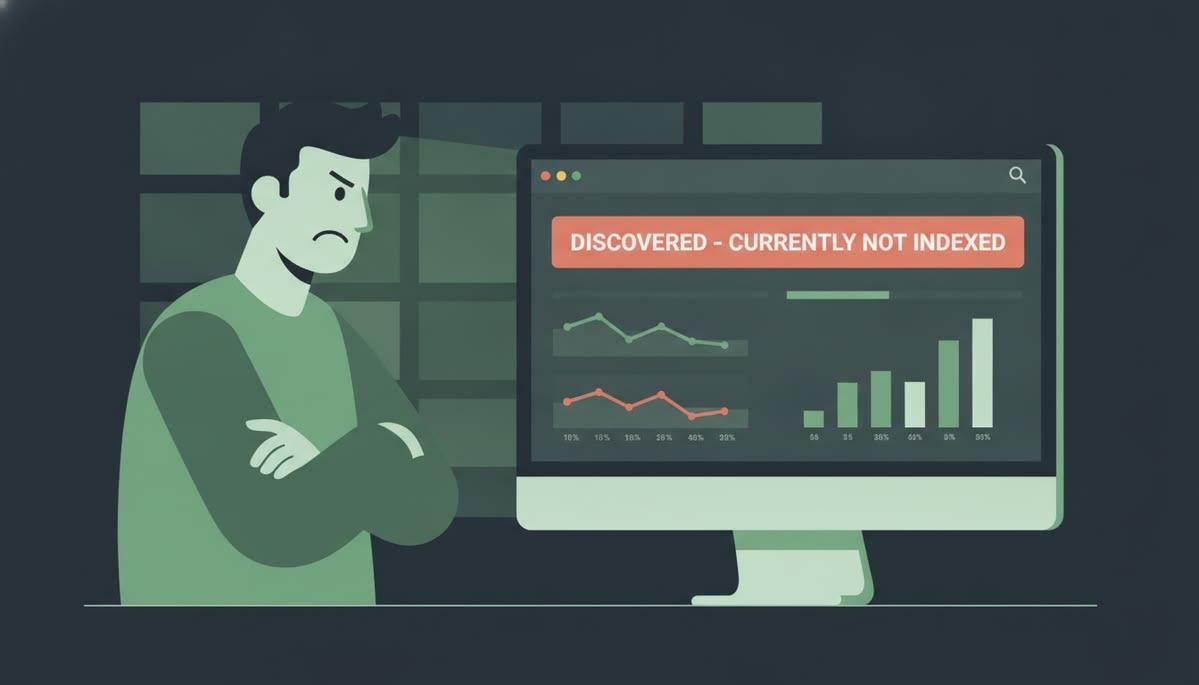
You have added new products to your online store, uploaded high-quality images, written product descriptions, and made the pages live. Yet, when you search for those products on Google, nothing appears. Days pass, competitors show up in search results, and your new pages still seem invisible.
For an ecommerce business, this is more than a technical inconvenience. If Google has not indexed a product page, that page generally cannot appear as a standard organic search result. Your products may be available to customers who already know your website, but you could be missing out on people actively searching for what you sell.
Working with an experienced ecommerce seo company in Mumbai that businesses can rely on starts with understanding why indexing problems occur. Google does not automatically index every published URL. It discovers pages, crawls them, evaluates their content and quality, and decides whether to include them in its index.
The good news is that you can identify and resolve many indexing issues. The key is to find the actual cause instead of repeatedly requesting indexing and hoping for a different result.
What Does It Mean When Google Doesn't Index a Product Page?
Three stages help explain how Google processes a webpage.
-
Discovery: Google finds the URL through a sitemap, internal link, or another accessible source.
-
Crawling: Googlebot accesses the page and attempts to retrieve its content.
-
Indexing: Google processes the page and decides whether to include it in Google's search index.
A product page can fail at any of these stages. Google may not know the URL exists, may be unable to crawl it, or may crawl it without indexing it.
It is also important to distinguish indexing from ranking. An indexed product page is eligible to appear in search results, but that does not guarantee a high position. Rankings depend on additional factors, including relevance, competition, and the page's usefulness.
Before making changes, check the URL in Google Search Console. The URL Inspection tool helps you see whether Google has discovered the page, whether crawling is allowed, and what indexing status Google currently reports.
6 Reasons Google May Not Be Indexing Your Product Pages
1. Your Product Pages Are Missing From the Sitemap
An XML sitemap helps search engines discover important URLs, particularly when an ecommerce website has hundreds or thousands of products.
When new products are published, check whether their canonical URLs are included in your sitemap. Some ecommerce platforms generate sitemaps automatically, but configuration problems, outdated settings, or custom development can prevent new URLs from appearing.
How to fix it:
-
Check that your XML sitemap loads correctly.
-
Confirm that newly published product URLs are included.
-
Remove redirected, broken, or non-canonical URLs from the sitemap.
-
Submit the sitemap through Google Search Console.
Remember that submitting a sitemap is a discovery signal, not a guarantee of indexing.
2. Robots.txt or Noindex Settings Are Blocking Access
A product page can be published and accessible to you while remaining unavailable for indexing.
A robots.txt rule may prevent Googlebot from crawling the page. Alternatively, a noindex directive in the page's HTML or an HTTP response header may tell Google not to index it.
These issues can arise during website development when staging settings are accidentally carried over to the live store.
How to fix it:
Inspect the affected URL in Google Search Console and review its page source and response headers where necessary. Make sure the page can be crawled and that no unintended noindex directive is present.
One technical detail matters here: blocking a URL in robots.txt does not reliably remove it from Google's index. Google may still know the URL exists through external links. If you want Google to process a noindex directive, it must be able to crawl the page and see that directive.
3. Your Product Pages Have Thin or Duplicate Content
Many ecommerce stores use manufacturer-provided descriptions across multiple products. Others generate hundreds of product URLs with almost identical text, changing only the colour, size, or model number.
This creates a challenge. Google may discover these pages but decide some don't offer enough distinct value to justify indexing them individually.
For example, a store selling several variations of the same product might have separate URLs with identical descriptions and nearly identical content. If those variations do not serve distinct search needs, Google may prioritise a single representative page.
How to fix it:
Write original product descriptions that explain features, practical benefits, specifications, compatibility, and intended use. Include relevant information that helps customers make a purchase decision.
For product variations, decide whether separate URLs genuinely serve different search intents. Use canonical tags consistently where appropriate, rather than expecting every variation to be indexed independently.
4. Googlebot Cannot Render Your Product Content Properly
Modern ecommerce websites often rely on JavaScript to display product details, pricing, stock availability, and other essential information.
If the page depends on scripts that fail to load, Google may initially discover a URL without successfully processing all its content. Incorrect rendering, blocked resources, or server-side errors can make this problem worse.
How to fix it:
Test important product pages using Google Search Console's URL Inspection tool and review the rendered page where available. Confirm that the product title, description, images, and other essential information are accessible to Google.
Where possible, consider server-side rendering or other rendering approaches that make critical product content reliably available. Also, make sure your website returns the correct HTTP status code instead of serving broken pages with a misleading success response.
5. Your Internal Linking Is Too Weak
A product page buried several clicks deep in your website may be harder for search engines to discover and understand.
This often happens when products are published without being added to relevant categories, collections, or related-product sections. The URL exists, but very few internal links point towards it.
How to fix it:
Link new products from relevant category pages, subcategory pages, and related-product sections. Make sure important categories are accessible through your site's navigation and that links use crawlable HTML.
Avoid relying entirely on internal site search or filters to expose products. A well-organised category structure makes it easier for both customers and search engines to navigate your store.
6. Your Website Has Crawl and Server Problems
Large ecommerce stores can generate thousands of URLs through filters, sorting options, search parameters, and product variations. If Google spends too much time crawling low-value URLs, it may pay less attention to important product pages.
Server errors, slow responses, and unstable hosting can also interfere with crawling.
Review your server logs (if available), investigate repeated 5xx errors, and identify URL patterns that create unnecessary variations. Use canonical tags, appropriate crawling controls, and sensible URL structures to help search engines focus on important pages.
How to Speed Up Product Page Indexing
Once you have identified the problem, follow a practical sequence rather than requesting indexing for every URL immediately.
Step 1: Inspect the URL
Open Google Search Console and use URL Inspection to identify the page's current status and any reported indexing issues.
Step 2: Fix the underlying issue
Resolve crawling restrictions, incorrect canonical tags, duplicate content, rendering failures, or server errors before requesting indexing.
Step 3: Improve discovery
Add the page to the appropriate sitemap and link it from relevant category or collection pages.
Step 4: Request indexing and monitor
For a small number of important URLs, use the Request Indexing feature in Search Console. Monitor the reported status and allow Google time to recrawl and evaluate the pages.
There is no guaranteed indexing deadline. Repeatedly submitting the same URL will not force Google to index it, and requesting indexing does not guarantee inclusion.
For larger stores, prioritise products with strong demand, commercial importance, and distinct search value instead of treating every URL as equally urgent.
When Should You Get Professional SEO Help?
If only one or two products are affected, a quick technical review may be enough. However, if hundreds of URLs remain unindexed, new products repeatedly disappear from search, or indexing problems return after every website update, the issue may involve your wider site architecture or ecommerce platform.
An experienced SEO agency in Mumbai can investigate crawlability, index coverage, canonicalisation, technical performance, and content quality together. For stores with complex catalogues, this often requires a structured audit rather than isolated fixes.
At Bricks Media, SEO is part of a broader digital growth approach. By combining technical optimisation, content strategy, and website improvements, ecommerce businesses can build a more reliable foundation for organic discovery. The goal isn't simply to get more URLs indexed, but to make the right product pages accessible to customers ready to buy.
Conclusion
If Google doesn't index your new product pages, publishing more content isn't always the answer. The real issue could be technical restrictions, duplicate descriptions, weak internal links, rendering problems, or simply a lack of useful, distinctive content.
Start by inspecting affected URLs, fixing the underlying issues, improving internal discovery, and monitoring results in Google Search Console. A consistent process can help search engines discover your products more efficiently, although indexing and rankings can never be guaranteed.
If your ecommerce store continues to struggle with indexing, ecommerce seo services in Mumbai from a technically capable team can help uncover the causes and prioritise fixes that support long-term organic growth. Bricks Media can help you identify the gaps in your current SEO setup and build a clearer path towards making your products discoverable.
Visit: https://bricksdigitalmedia.com/e-commerce-seo-company-in-mumbai
 Romaian
 English
 Arabic
 French
 Spanish
 Portuguese
 Deutsch
 Turkish
 Dutch
Dutch
 Italiano
 Russian
 Portuguese (Brazil)
 Greek
Greek