


Security Systems for Business: A Practical Guide to Protecting Your Company
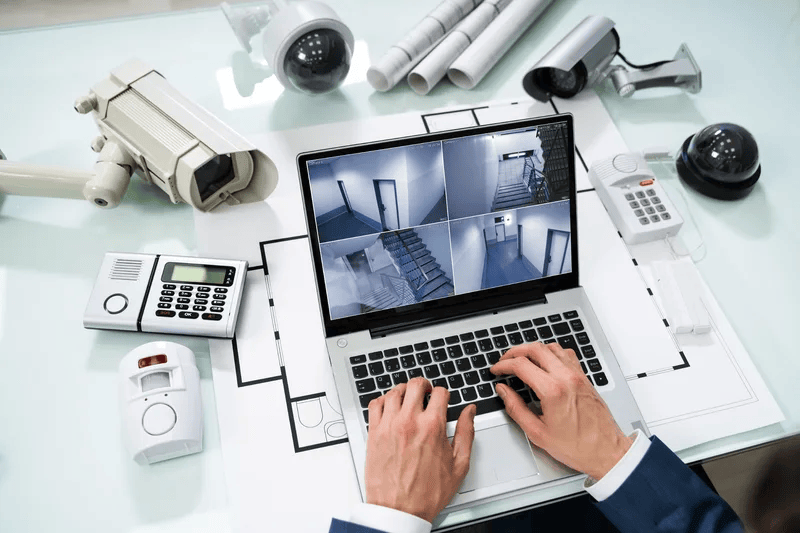
The best security systems for business combine physical protection, network defenses and ongoing monitoring into one coordinated plan. This guide explains the main system types, how they work together, and how to choose a setup that fits your size, budget and risk.
Why Every Business Needs a Layered Security System
Business security is no longer optional. Break-ins, theft, data breaches and ransomware can each cause lost revenue, operational downtime and lasting damage to your reputation. The difficulty is that threats arrive from two directions at once: someone walking through your door and someone reaching your systems through the internet.
A single lock, camera or antivirus tool cannot cover both. Effective protection uses layers, so that if one control fails, another still stands between a threat and your assets. A layered approach typically covers:
-
Physical security: controlling who can enter your premises and recording what happens there.
-
Cybersecurity: protecting networks, devices, email and data from attack.
-
Monitoring and response: watching for problems around the clock and acting quickly.
-
People and process: training staff and documenting what to do when something goes wrong.
Small and mid-sized companies benefit most from planning these layers together rather than buying them piecemeal from separate vendors, which often leaves gaps and duplicated costs.
Core Types of Security Systems for Business
Most complete setups draw on the categories below. You may not need all of them on day one, but you should know what each does.
|
System |
What it does |
Best suited for |
|
Access control |
Restricts entry with key cards, fobs, PIN codes or mobile credentials, and logs who went where |
Offices, medical practices, warehouses, any space with sensitive areas |
|
Video surveillance |
Records and streams footage from indoor and outdoor cameras, often with remote viewing |
Retail, hospitality, parking areas, loading docks |
|
Intrusion and alarm systems |
Detects forced entry or motion after hours and alerts staff or a monitoring centre |
Any business that closes for the night |
|
Network security |
Firewalls, intrusion prevention, secure remote access and endpoint protection |
Every business that uses the internet |
|
Managed monitoring |
Experts watch alerts and threats 24/7 and respond on your behalf |
Teams without in-house security staff |
|
Backup and recovery |
Keeps copies of critical data so operations can resume after an incident |
Businesses that rely on digital records |
Physical security
Physical systems protect your people, premises, stock and equipment. Modern access control and cameras integrate with software, so you can review entry logs, receive alerts on a phone and grant or revoke credentials instantly when staff change. Our physical security solutions cover access control, cameras and on-site personnel.
Cybersecurity and network protection
Your network connects email, cloud apps, payment terminals and customer data, so it is a primary target. Firewalls, endpoint protection and secure remote access reduce the chance that an attacker gets in. If you are evaluating vendors, our guide to network security providers for small business explains the options in detail.
Managed security services
Technology alone does not stop attacks; people watching it do. Managed security services place a dedicated team behind your tools, identifying and responding to threats in real time so your staff can concentrate on running the business.
How to Choose and Plan Your Security System
Follow these steps to build a system that matches your real risks instead of a generic package.
-
Assess your risks first. List your most valuable assets (cash, inventory, equipment, customer data, intellectual property) and the ways each could be lost. A professional cybersecurity consultation can identify vulnerabilities you may not see yourself.
-
Map your premises and network. Note entrances, blind spots, server rooms, Wi-Fi coverage and every device that connects to your systems.
-
Identify compliance requirements. Healthcare, finance, legal and retail businesses often face specific rules on data protection and record keeping. Build these into the plan from the start.
-
Prioritise by impact and cost. Protect the highest-value, highest-risk areas first, then expand. You do not have to buy everything at once.
-
Insist on integration. Cameras, access control, alarms and network tools that share data and alerts are easier to manage and respond faster than isolated products.
-
Plan for growth. Choose systems that let you add users, doors, cameras and locations without replacing what you already own.
-
Check connectivity. Cloud cameras, remote access and monitoring all depend on a stable connection. Reliable business internet is part of your security foundation, not a separate topic.
Businesses with several sites or regulated data may need a more advanced design, which is where enterprise security planning with multi-layered protection becomes relevant.
Common Mistakes and How to Avoid Them
-
Buying hardware without a plan. Cameras and alarms alone do not address cyber threats, and antivirus alone does not stop a break-in.
-
Ignoring updates. Unpatched firmware and outdated software are a common way in. Schedule regular maintenance.
-
Skipping staff training. Human error, such as clicking a phishing link or propping open a secured door, undermines good technology.
-
Having no response plan. Know who is called, what is shut down and how customers are informed before an incident happens.
-
Choosing on price alone. The lowest quote often leaves coverage gaps that cost more after an incident.
Questions to Ask a Security Provider
-
What risks will you assess before recommending a system?
-
Can physical and cyber protection be managed under one plan?
-
Who monitors alerts, and what are the response times?
-
How do you support compliance requirements in our industry?
-
Can the system scale as we add staff, devices or locations?
-
What are the contract terms and ongoing costs?
Clear, specific, written answers indicate a provider who understands your business. Vague answers are a reason to keep looking.
Conclusion: Secure Your Business with Defend My Business
The strongest security systems for business are layered, integrated and monitored: physical controls at the door, cyber defenses on the network, and experts watching both. Planning them together reduces risk, simplifies management and keeps your operations running when something goes wrong.
Defend My Business provides the best service for companies that want that kind of protection without the guesswork. We begin with a free security assessment discussion, then work with multiple top-tier solution providers to build a custom plan around your premises, network, industry and budget. Our approach is proactive, with threat detection, monitoring and compliance support, and we do the comparison work at no cost to you.
See our complete range of business security solutions or learn more about small business security.
Ready to protect your company? Contact Defend My Business today to schedule your free security assessment and get a custom quote.
 Russian
 English
 Arabic
 French
 Spanish
 Portuguese
 Deutsch
 Turkish
 Dutch
 Italiano
 Romaian
 Portuguese (Brazil)
 Greek