


How police MDT messaging software improves officer safety during traffic stops
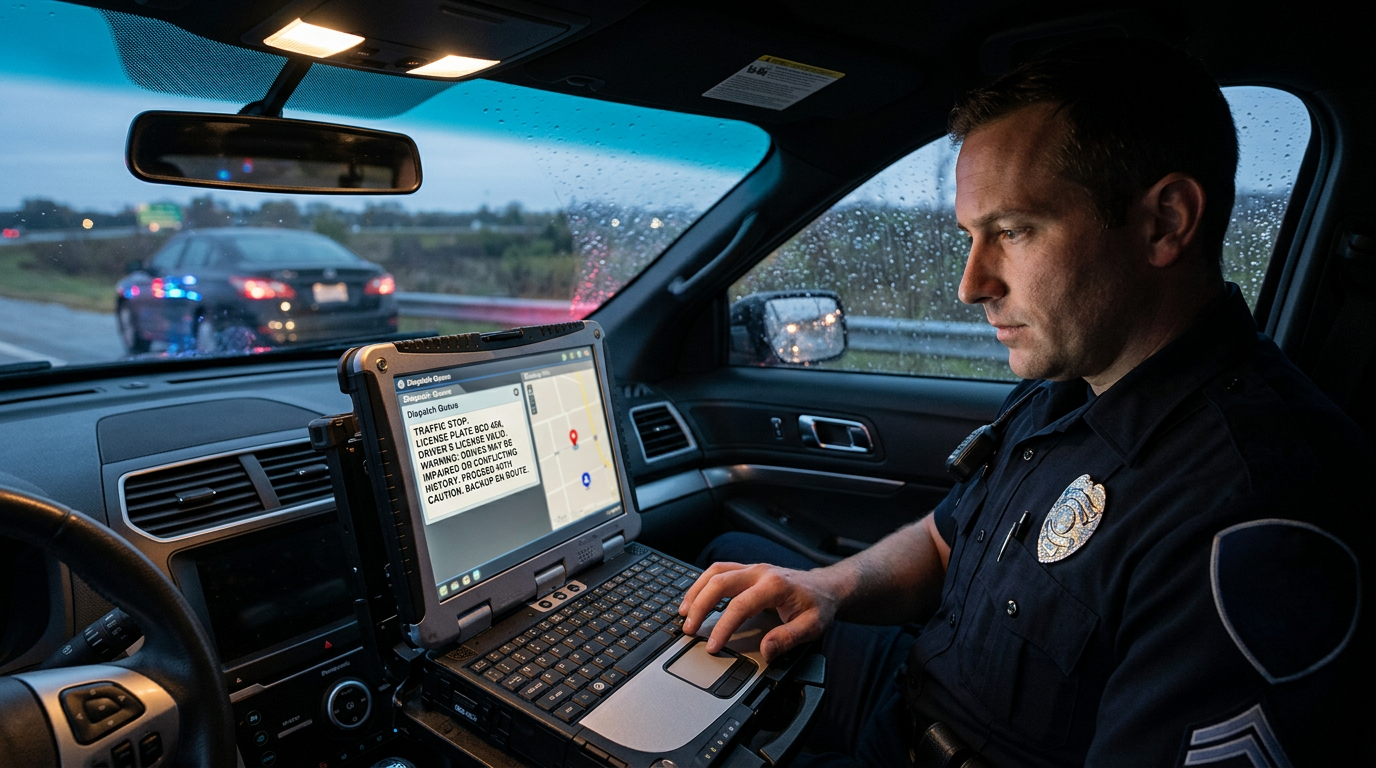
Traffic stops are among the most common interactions between police and the public. They're also unpredictable. An officer approaching a vehicle often knows very little about who's inside. A routine stop for a broken taillight can involve a stolen car, a person with a warrant, or someone with a history of violence. Most stops end without incident, but officers can't know in advance which ones won't.
Information is one of an officer's best safety tools. The more an officer knows before stepping out of the car, the better the decisions that follow. Police MDT messaging software gives officers direct access to vehicle, driver, and warrant information from the patrol car, often faster than waiting for dispatch to run checks over the radio.
This article explains how mobile data terminal messaging supports officer safety during traffic stops. It covers faster queries, reduced radio traffic, hit notifications, and backup coordination, along with the training and design choices that make police MDT messaging software effective on the road.
What MDT messaging software does
A mobile data terminal is a computer mounted in a patrol car, often a rugged laptop or tablet. MDT messaging software lets officers run queries against state and national databases, receive responses, and exchange messages with dispatch and other units.
Officers can check license plates, vehicle identification numbers, driver's licenses, and wanted persons. They can receive alerts when a query returns a hit, such as a stolen vehicle or an active warrant. They can also send and receive text messages, which helps when radio channels are busy. Many systems also let officers view images or attachments, such as a driver's photo, which can help confirm identity.
Information before the approach
The moments before an officer approaches a stopped vehicle are critical. Running the plate gives the officer a first look at what they may be dealing with.
A plate check can show whether the vehicle is reported stolen, whether the registration matches the vehicle, and who the registered owner is. Some results may reveal the owner has an active warrant or other cautionary information. With this information, an officer can decide whether to wait for backup, adjust the approach, or call for additional resources.
Without direct access, the officer relies on dispatch to run the plate and relay results over the radio. That works, but it takes time, especially when dispatchers are handling many calls at once. Results relayed by voice can also be misheard, especially in noisy conditions.
Faster checks, fewer delays
Speed matters during a stop. The longer an officer waits for information, the longer they're positioned in traffic or exposed at the side of a vehicle.
When officers run queries themselves from the MDT, they can get results quickly and keep their attention on the scene. Dispatchers are freed to focus on other calls and emergencies. Officers don't have to wait in a queue behind other radio traffic.
Faster checks can also shorten stops for drivers who have no issues, which reduces time spent on the roadside for everyone.
Reducing radio congestion
Radio channels can get crowded, especially during busy shifts or major incidents. Every plate check and driver's license query read over the air takes airtime that other officers might need.
Moving routine queries to the MDT keeps radio channels clearer for urgent communication. If an officer needs help, their call is less likely to be stepped on or delayed. That alone can improve safety across an entire shift.
Text messaging between units and dispatch also helps. Officers can share details quietly, without broadcasting them to anyone listening on a scanner. That can matter when the person being checked may be listening.
Ways MDT messaging supports officer safety
In-car messaging and query tools help officers in several practical ways. Here are some of the most important:
- Running plates before approaching a vehicle to check for stolen status or warrants
- Verifying driver identity and license status quickly during the stop
- Receiving clear hit alerts that flag dangerous situations
- Reducing reliance on busy radio channels for routine checks
- Sending silent text messages to request backup or share details
- Seeing caution indicators, such as notes about weapons or violence, when provided in results
- Confirming hits through dispatch before taking enforcement action
- Keeping a record of queries for later review and reporting
Each of these gives officers more information or more control during an unpredictable encounter. None of them replaces training and judgment, but together they give officers a better starting point.
Clear hit notifications
When a query returns a hit, the officer needs to know immediately and clearly. A hit on a stolen vehicle or wanted person changes how the officer handles the stop.
Good MDT software makes hits stand out with clear visual signals. Police MDT messaging software that highlights the most important part of a response, such as a stolen vehicle flag or caution note, saves officers from reading through dense text in a tense moment. Officers shouldn't have to scroll through long responses to find critical information. At the same time, alerts should be designed so they don't overwhelm or distract during driving.
Hit confirmation remains essential. Before taking enforcement action based on a hit, officers typically need confirmation that the record is still valid. Messaging software can speed up that process by sending confirmation requests and receiving responses electronically, helping officers act on accurate information.
Coordinating backup
Some stops call for backup. Officers may see warning signs, such as a hit on the vehicle, nervous behavior, or multiple occupants. The ability to request help quickly matters.
MDT messaging lets officers request backup or share location details through text, which can be useful when speaking on the radio could alert the people in the vehicle. Dispatchers and nearby units can see the information and respond without delay.
Some systems also show nearby units or allow supervisors to monitor ongoing stops, adding another layer of awareness.
Designing for safe use in the car
Officer safety also depends on how the MDT is used. A screen that demands too much attention can distract an officer while driving or at a stop.
Good software keeps common tasks simple. Query forms should be quick to fill out. Results should be easy to read at a glance. Touch-friendly controls help on rugged tablets. Agencies should also set policies about using the MDT while driving.
Officers should be trained to run queries before or after critical moments, not while approaching a vehicle or interacting with a driver. The goal is to get information efficiently, then focus fully on the people in front of them.
Reliable connectivity
Patrol cars travel through areas with varying cellular coverage. A query that fails in a dead zone can leave an officer without information when it's needed most.
MDT software should handle weak signals well. That includes retrying requests, resuming sessions when the signal returns, and clearly showing when a query is still pending. Officers should always know whether they have current information or are waiting for a response. A clear indicator on screen can prevent an officer from assuming a check came back clean when it never finished.
Agencies should test their systems in the areas their officers patrol, including rural roads and spots known for poor coverage.
Security and compliance
Information accessed through an MDT includes criminal justice information, which must be protected under the CJIS Security Policy. That means strong authentication, encryption, session timeouts, and audit logging.
Security measures should be designed to work smoothly in the field. Authentication that takes too long or sessions that time out mid-stop can frustrate officers and tempt them to rely on radio checks instead. Agencies should balance security with usability so the system supports officers. Working with IT and officers together during setup helps find that balance.
Training officers to use MDT tools well
Even the best software needs trained users. Officers should know how to run common queries quickly, read results accurately, recognize hit alerts, and send messages efficiently.
Training should include scenarios that reflect real stops. Practicing in a controlled setting builds habits that carry over to the road. Refresher training helps officers keep skills sharp and learn new features. Field training officers can reinforce good habits with new recruits during their first months on patrol.
Measuring the impact
Agencies can track how MDT use affects operations. Look at the share of queries officers run themselves versus through dispatch. Watch for changes in radio traffic volume. Gather officer feedback on speed and usability. Review incident reports for cases where early information shaped a safer outcome.
These measures help agencies refine policies, training, and technology over time.
Supporting safer stops with CPI OpenFox
In-car messaging gives officers faster access to vehicle, driver, and warrant information, reduces radio congestion, makes hits easier to spot, and supports quick, quiet backup requests. Combined with good training and reliable connectivity, these tools help officers make safer decisions during traffic stops. CPI OpenFox provides browser-based messaging and query tools built for mobile data terminals and tablets, giving officers secure, real-time access to the information they need on every stop.
 Spanish
 English
 Arabic
 French
 Portuguese
 Deutsch
 Turkish
 Dutch
 Italiano
 Russian
 Romaian
 Portuguese (Brazil)
 Greek